Every prompt you send to M365 Copilot and every response it returns are stored, in a hidden folder inside the mailbox of the person who asked. That is how it is built, and Microsoft describes it openly in its own documentation.
So the interesting question is not whether this is stored. It is how long. The product gives you no answer there, because the answer is a decision somebody in your company has to make. In our experience that decision rarely gets made. It appears on no rollout checklist. Before the start, almost everything revolves around permissions, and rightly so; we wrote up why in rolling out M365 Copilot securely. The second half begins afterwards: the record your operation leaves behind.
What M365 Copilot stores
What gets stored is the user's prompt and Copilot's response, together with the citations to the documents the response was built from. Microsoft calls the two together the "content of interactions"; the series of those interactions is the user's Copilot activity history. The data is stored encrypted and is not used to train the language models.
The documentation is precise on this point: "The stored data includes the user's prompt and Copilot's response, including citations to any information used to ground Copilot's response." (Microsoft Learn, Data, Privacy, and Security for Microsoft Copilot)
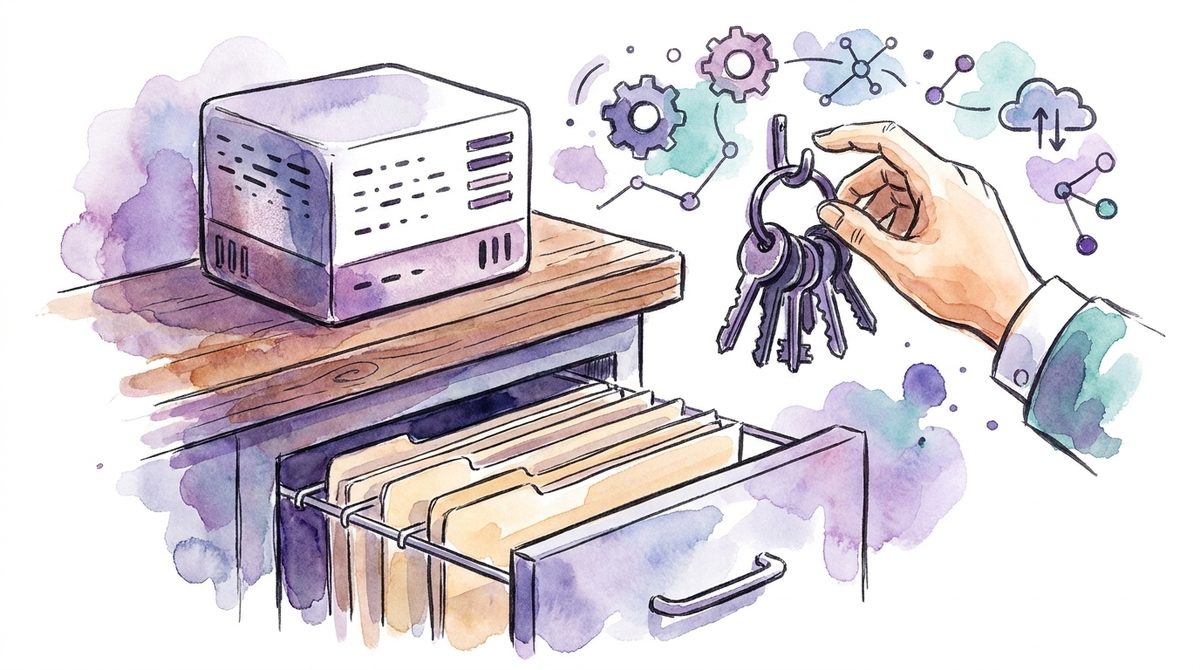
Where it sits is more interesting. Microsoft describes the mechanics in the Purview documentation: "Behind the scenes, Exchange mailboxes are used to store data copied from these messages. Data from generative AI messages is stored in a hidden folder in the mailbox of the user who runs the AI app." According to the same page, that folder is not built for users or administrators to look into, but for a compliance role to search it with eDiscovery. (Microsoft Learn, Learn about retention for Copilot and AI apps)
Which basically means the record follows the person, not the project. If somebody asks two years from now where your company's Copilot data sits, the correct answer is not "in one system" but "in as many mailboxes as you handed out licences". For the question of who may access it, that is a difference.
The chat window is not the archive
Users can delete their own Copilot history through the My Account portal. It is a clean feature, and it means less than it looks.
Microsoft puts the clarifying sentence into a warning box itself: "Messages visible in your AI apps are not an accurate reflection of whether they are retained or permanently deleted for compliance requirements." What gets deleted moves first into a second hidden folder, the SubstrateHolds folder, and stays there for at least one day. Permanent deletion is suspended as soon as another retention policy for the same location, a Litigation Hold or an eDiscovery hold applies to the mailbox. Until then the message remains findable with eDiscovery.
The same holds when somebody leaves the company. If the account is deleted, the Copilot messages under retention move into an inactive mailbox and stay available to an eDiscovery search.
For daily operations that means two things. First, "I deleted the history" is a statement about the window, not about the archive. Second, you should never answer a question about what still exists by looking at the chat window, but with the tool that sees the archive. Microsoft recommends exactly that: verify your compliance requirements with eDiscovery, not with whatever is currently visible in Copilot.
How long M365 Copilot keeps the conversations
Retention and deletion for Copilot run through Purview policies. If nobody sets one, there is no automatic period after which anything expires. The documentation describes the normal case like this: "In most scenarios, these messages aren't removed. For example, they remain but are hidden when users close a chat window or close the app." Disappearing from the window is not the same as disappearing from the archive.
With a policy you set the duration yourself, and more precisely than before. Copilot messages used to ride along in the retention location "Teams chats and Copilot interactions", even in companies that did not use Teams at all. New policies separate the two. According to the documentation, these locations are available today:
- "Microsoft Copilot experiences" for Microsoft 365 Copilot, Security Copilot, Copilot in Fabric and Copilot Studio
- "Enterprise AI apps" for Entra-registered AI apps, ChatGPT Enterprise and Microsoft Foundry
- "Other AI apps" for ChatGPT, Google Gemini, DeepSeek and the consumer version of Microsoft Copilot. Here content is only captured when a collection policy with the matching setting is in place.
If your retention was set up before that split, check first which location actually covers Copilot in your tenant today. A new policy comes after that.
At the edges this is less precise than a number in a form suggests. The relevant timer job runs within one to seven days, not instantly. Microsoft works through an example in its own documentation showing that a policy set to "delete after one day" can take up to 16 days before the message drops out of an eDiscovery search. And when several policies or holds point at the same location, the longest duration wins. A retention period is therefore a reliable lower bound and an approximate upper one.
That is not an argument against the product. It is the price of a deletion that also holds up in front of an auditor.
A complaint, one year later
Take a company with forty people, Copilot rolled out a quarter ago, and a process that runs there a hundred times a year.
An administrator copies a customer complaint into Copilot and asks for a summary and a draft reply. Copilot pulls the contract from SharePoint and the recent mails on it. The prompt holds the name, the address and the contract number, the response holds the terms. The reply goes out, the case is closed.
What remains is an interaction in her mailbox, with a reference to the contract. She closes the chat later because the window has become cluttered. Whether and when that interaction finally disappears depends on the retention policy, not on her click.
A year later the same customer writes in and requests information about the data the company processes about him. The thinking goes to the CRM and the mail archive. But the processing also includes the prompts and responses his data appeared in, and nobody in the house knows how many there are or how much longer they will be there.
The line a data subject access request asks for
This is where the duration turns from an admin setting into mandatory information.
Art. 25 of the Swiss Data Protection Act gives every person the right to ask the controller whether personal data about them is being processed. Paragraph 2 lists what must be communicated in every case, including letter b, "the personal data as such that is processed", and letter d, "the retention period of the personal data or, if this is not possible, the criteria for determining that period". The information is provided free of charge and, as a rule, within 30 days. (Fedlex, Data Protection Act SR 235.1)
Translated into everyday Copilot use: if a prompt or a response contains personal data of the person asking, those interactions are part of the processing you report on. And you name a retention period for it, or the criteria by which it is set. If nobody has set a policy, the honest answer is "indefinite". That answer is permissible, but it creates the next question, and it creates it under a 30 day clock.
The law does not require a short duration. It requires a named one. The fact that Microsoft holds the data technically, as a processor, changes nothing here: under Art. 25 para. 4 the controller remains obliged to provide the information even when it has the processing carried out by a processor. Which data belongs in a prompt in the first place is the question that comes before this one, and we answered it in which company data may go into ChatGPT. Both decisions, what goes in and how long it stays, belong in the same hour. That is what our AI governance and secure AI adoption work is for.
Who is allowed to search that archive
The tools for looking into the archive exist, and they are well documented.
With eDiscovery you create a case, select the user's mailbox as the source and filter in the query builder via "Add condition", "Type", "Contains any of" and there "Copilot activity". According to the documentation that condition covers Copilot and other AI application activity. In parallel, prompts and responses flow into the unified audit log, including which Microsoft 365 service the interaction took place in and which files it drew on; if one of those files carries a sensitivity label, that is logged too. Communication compliance can additionally screen prompts and responses for policy violations, with pseudonymised names and role-based access. (Microsoft Learn, Purview protections for generative AI apps)
So the technology is not the open question here. What is open is who may trigger that search, and on what occasion. In an SME the Purview compliance role often sits with the same person who runs the tenant, and that is organisationally unremarkable until the day it is not. Searching through one employee's prompts is not a technical operation, it is an HR measure with a technical tool.
Two lines in your usage rule cover it: on what occasion Copilot interactions get searched, who approves it, and who is informed. Written before the first occasion, they cost half an hour. Written after it, they cost trust you cannot reorder. What such a rule looks like without turning into a regulation is in do we need an AI policy.
Set the duration before somebody asks for it
Concretely for this week, in this order, and it needs no project.
Look in Purview to see which retention location covers Copilot in your tenant today, and whether one is set at all. Then decide a duration for the Copilot interactions. There is no correct number; there is one that fits the rest of your retention and that you can justify. Write that duration down in two places: in the usage rule for AI and in the template you use to answer a data subject access request. And add the two lines on who may search that archive, and when.
That is the whole task. It is unspectacular, costs no licence, and is done in a morning, as long as nobody from outside is asking.
If you would rather have an outside view on the duration than decide it alone, that is what the free initial conversation is for. In our AI consulting this decision sits right next to the access question, because both need the same half hour.
Frequently asked questions
Does M365 Copilot store my prompts?
Yes. The prompt and the response are stored together with citations to the documents used, encrypted and in a hidden folder inside the user's mailbox. The data is not used to train the language models. A compliance role can search it with eDiscovery.
How long are Copilot conversations retained?
For as long as your retention policy says. If nobody sets one in Microsoft Purview, there is no automatic period and the messages stay. The deletion job typically takes one to seven days to run, and considerably longer with very short periods.
Can an employer read Copilot conversations?
Technically yes, through eDiscovery and the unified audit log. The open question is not the technology but the rule behind it: on what occasion a search happens, who approves it and who is informed. Those two lines belong in the usage rule before the first occasion.