
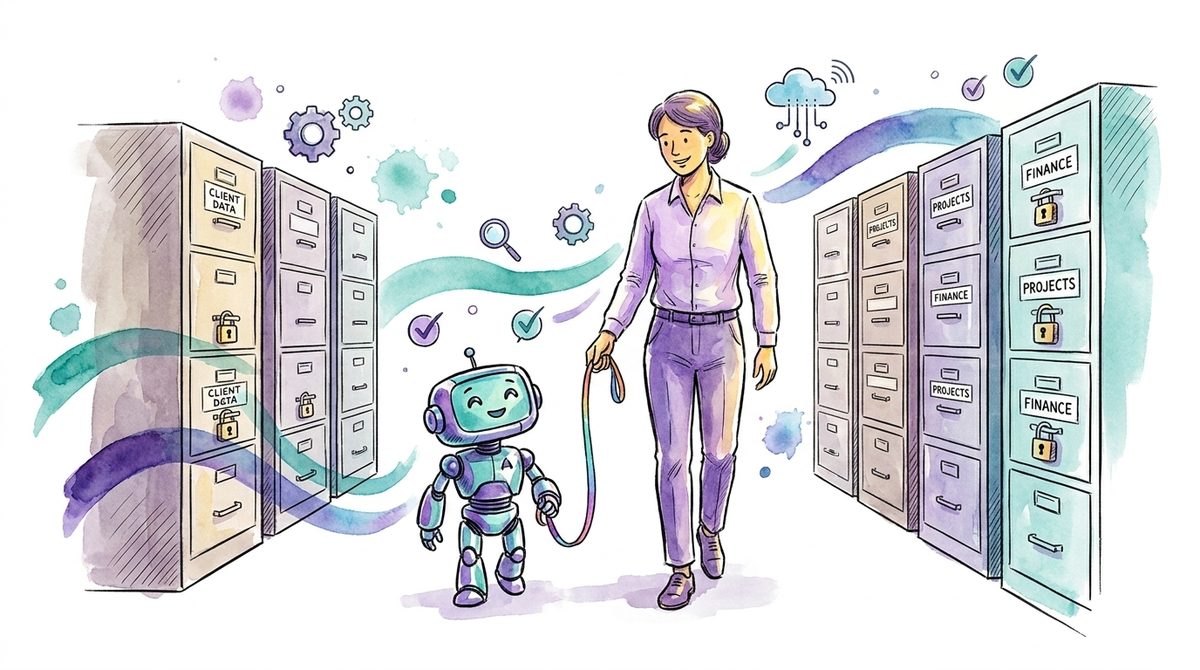
The fear around Microsoft 365 Copilot is almost always aimed at the wrong target. What people fear is the AI: that it hallucinates, that it carries company data outside. What then happens in the pilot is far more mundane. Someone asks Copilot about salaries and gets a summary from a SharePoint folder that has been shared with "Everyone" for years. If you want a secure M365 Copilot rollout, you rarely have an AI problem. You have a permissions problem, and it is older than Copilot.
What Copilot does and does not do
Microsoft states it plainly in its own documentation: "Microsoft Copilot only surfaces organizational data to which individual users have at least view permissions." (Source: Microsoft Learn, Data, Privacy, and Security for Microsoft Copilot)
In essence: Copilot does not invent access. It reads exactly what the signed-in user could already open today, across Mail, Teams, SharePoint and OneDrive. The same documentation also states that prompts and responses are not used to train the language models, and that encryption via sensitivity labels is respected. The same principle applies to extensions: if you connect Copilot to other systems via Graph connectors or agents, it only returns what the user has access to there as well. The boundary runs along permissions, nowhere else. What happens when someone tries to exploit that boundary through a planted document is covered in prompt injection explained.
For the question of whether the tool itself is built cleanly, that is good news. And this is exactly where the thinking error sits that we see most often in conversations about AI adoption: "Copilot respects your permissions" is only as reassuring as your permissions themselves.
Locked is not the same as unfindable
Before Copilot, what protected you in practice was not your permissions concept. What protected you was obscurity.
Hardly anyone voluntarily clicks through tens of thousands of documents in other teams' sites. The salary overview in the wrong folder, the due diligence memo from an old project, the termination list from the reorganization: all theoretically accessible, practically invisible. An M365 tenant that has grown for ten years carries migration archives, orphaned Teams channels and shares set to "Everyone except external users" that were forgotten long ago.
Copilot changes that. It searches semantically across everything the user has access to and delivers the most relevant results in seconds, neatly summarized. "Theoretically accessible" becomes "one question away". The tool leaks nothing. It makes visible what was already open.
In our experience, this is the moment when a Copilot rollout stalls: not because of the technology, but because the first serious test surfaces things that should never have been lying there. That is uncomfortable. It is also the most honest inventory of your tenant you have ever received for free.
The pattern usually looks the same. A company starts the pilot with a handful of people from IT and the business units. In the first days no catastrophes appear, but small things with weight do: an old management presentation with salary bands, filed in a project site from five years ago. A quotations folder that half the company can access because the project team invited "everyone" back then and the site was never closed. None of this is a Copilot defect. All of it had been open for years. What is new is that someone now sees it, and that management has a concrete list for the first time instead of a vague gut feeling.
Why another tool is the wrong first answer
The reflex at this point is familiar: buy another product. The market now offers an add-on for almost every Copilot worry, from oversharing scanners to AI monitoring suites.
Some of them are useful. But a tool that reports oversharing does not clean up your shares. It only documents that they are open, and sends you an annual invoice for it. The actual work stays the same and is unglamorous: know which data would hurt you, clean up the repositories holding exactly that data first, name owners, use sharing links with expiry dates instead of forever. That costs working time and discipline, not licenses. How to identify data worth protecting in the first place is covered in our post on data classification; it is the foundation here too.
On top of that: you already pay for part of the tooling for this cleanup. Depending on your license, the tenant contains sharing reports, sensitivity labels and access reviews that nobody ever switched on. These features are unspectacular, and no sales rep calls you about them, because they are already paid for. That is why we start there. Exhaust what you have before talking about anything new: the same logic we apply to security tools in general, and it applies to AI projects unchanged.
Then there is the Swiss context, because it often causes confusion: Switzerland has no AI act of its own; the Federal Council deliberately decided against one in early 2025. What applies is the FADP. If Copilot pulls personal data together in its answers, that is a data protection matter under existing law, not a new legal field. And here too: the duty to make personal data accessible only to those who need it existed before Copilot. Copilot only makes it measurable whether you fulfil it. And the responsibility stays with you as a company, not with Microsoft, however well the platform is documented.
Banning it is the most expensive option
The opposite reflex to buying add-ons is blocking: Copilot stays off until the tenant is perfectly tidy. That feels cautious and creates the bigger problem in practice. The demand for AI does not disappear; it migrates into private ChatGPT accounts in the browser. There, company data actually leaves the tenant, with no permission model, no log, no sensitivity label. We have known this effect for years from shadow IT; with AI it just repeats faster and with more sensitive data. A blocked Copilot next to freely reachable browser AIs is the worst combination of both: no productivity gain, and the data risk sits exactly where you see it least.
The tenant does not have to be perfect before the start either. It has to be clean in the places where it hurts, and the rest improves during operation. Perfection as a launch condition is just a polite form of a ban.
A secure Copilot rollout: what must be in place first
We advise nobody to put Copilot on ice because of this. The productivity gain is real, and your vendor's competitors are no better, they are just less deep in your data. In our view, the only open question is the order of steps. Four things belong before the broad rollout:
- You know which data is critical. Not as a 40-page classification concept, but as a short, honest list: salaries, health data, M&A, customer contracts, price calculations. What is on that list determines where you look first.
- The critical repositories are checked. Not the whole tenant, nobody manages that before a rollout. But the sites and teams holding the list from point one have clarified access and an owner who has to maintain it.
- A pilot that actively searches. Give a small group Copilot with the explicit task of finding things they should not see. The prompts may sound banal: What does management earn? Summarize the recent terminations. What terms does our biggest customer get? Every hit is a permission you had to fix anyway, except now you know about it.
- A short usage rule. Who gets Copilot, for what, and what still does not belong in a prompt. One page is enough to start. How such a rule fits into existing governance is covered in our post on AI governance.
After that, roll out in waves instead of everyone at once. Each wave brings new users with different access profiles and thereby uncovers different corners of the tenant; the rollout doubles as an ongoing permissions test you would otherwise pay dearly for. Exactly this order, data before licenses, is also the core of our work on AI governance and secure AI adoption.
The question before the first prompt
If you are the person who has to explain this to management, a renaming helps: do not request a budget for "AI security", which sounds like another bottomless pit. Request the permissions cleanup your tenant needed anyway, with Copilot as the occasion and the deadline. The difference is more than rhetoric: the work pays into every audit, every insurance questionnaire and every future incident, not just into a single tool. The question "What does the AI cost us on top?" becomes "What do we finally clean up while we are at it?".
Introducing Copilot is, in the end, a rare opportunity: for the first time there is a business reason to tackle the permissions chaos that has been known internally for years and never had priority. The companies that get the rollout right are AI-ready afterwards. And their tenant is, as a side effect, a smaller target for every other attack path, without a single new security product.
If you want an honest outside view of your data situation and permissions before the rollout: an intro call costs nothing and does not end in a shopping list.
And until then, the one question that sums up this whole article: Which file in your tenant would you never want to see in a Copilot answer, and do you know today who has access to it?