
Marc H.,
Too Long; Didn't Read
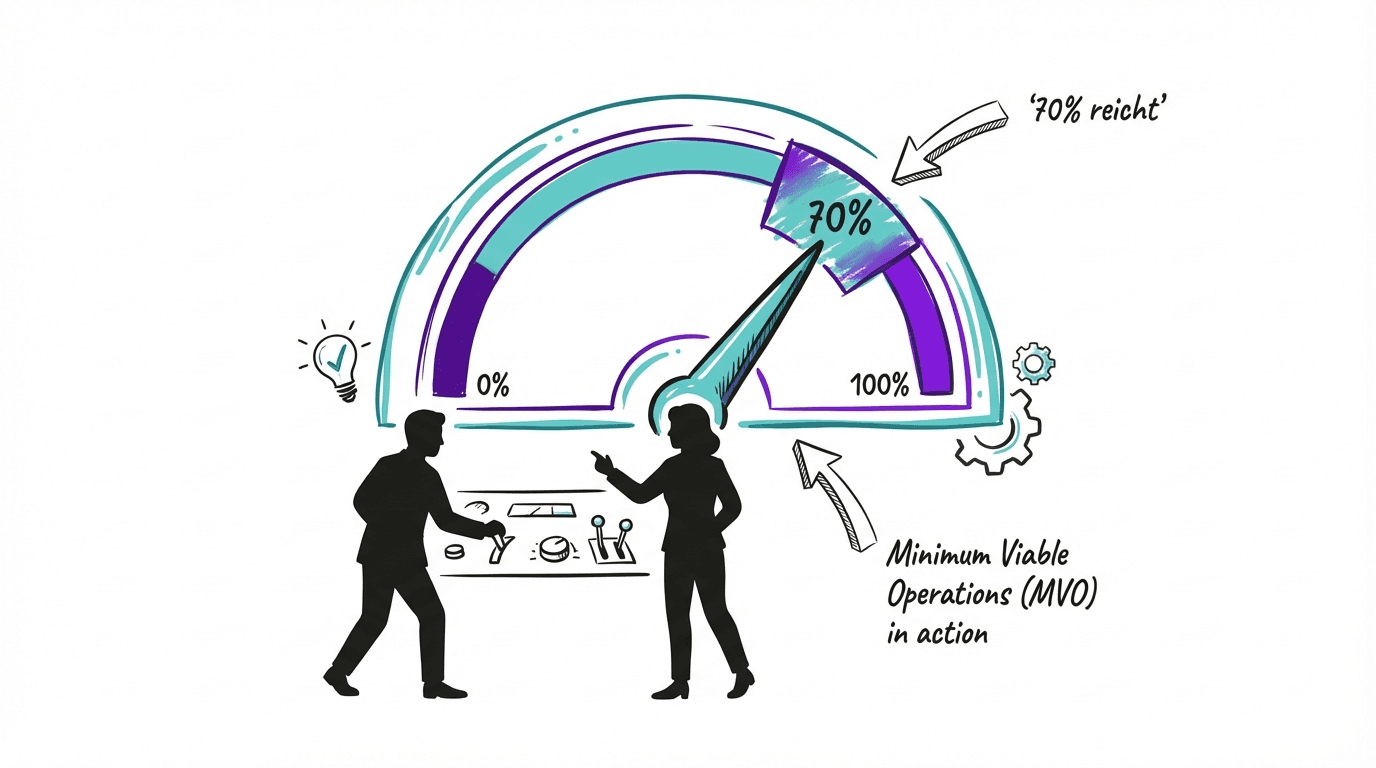
Minimum Viable Operations (MVO) answers the crucial question: With what reduced capacity can we continue working while solving problems? The 70% rule states: Quick degraded operations protect more revenue than a perfect late recovery. Instead of having everything duplicated (which is unaffordable), you define the absolute minimum for each critical process. We will show you how to practically implement MVO.
Imagine this: your most important IT system fails. The cloud provider has issues. Or ransomware. Or something unexpected.
The classic question is: "How quickly can we recover?"
The better question is: "How can we keep working while we recover?"
That is the difference between Disaster Recovery and Minimum Viable Operations.
The problem with perfect redundancy
Everyone wants 100% availability. Sure.
But let’s talk about costs.
To make a system truly 100% redundant, you need:
Duplicate infrastructure (second data center, second cloud provider)
Active real-time data replication
Automated failover mechanisms
Regular testing of failover scenarios
Staff who know both environments
For a mid-sized company with CHF 50M in revenue? That quickly costs CHF 200K-500K per year. Per critical system.
And here is the uncomfortable truth: most companies do not have one critical system, but five or ten. Perfect redundancy for everything is simply unaffordable.
The 70% rule
Here comes the pragmatic approach:
70% capacity within 30 minutes protects more revenue than 100% capacity after 48 hours.
Let that sink in for a moment.
If you need 48 hours during an outage to get back to 100%, you generated zero revenue for 48 hours. For an e-commerce company with CHF 180K daily revenue, that is CHF 360K in losses.
If instead you can switch to 70% capacity within 30 minutes, you may lose CHF 15K during the switch and then continue operating at reduced capacity.
That is MVO: not perfect, but functional.
What is Minimum Viable Operations?
MVO is the answer to the question: "With what reduced capacity can we continue working while we solve the actual problem?"
It is not about keeping everything running perfectly. It is about defining the minimum that keeps business operations going.
For each critical process, you define:
Question | Example: Order intake |
|---|---|
Normal capacity | 500 orders/day via online shop |
MVO (70% capacity) | 350 orders/day via phone + Excel |
What can be dropped? | Automatic recommendations, live chat, personalized offers |
What must remain? | Order capture, payment processing, confirmation |
Acceptable MVO duration | 3 days |
The beauty of it: MVO forces you to distinguish between nice-to-have and must-have. This clarity is also valuable in normal operations.
How to define MVO: 4 steps
Step 1: Identify critical processes
Do not start with IT. Start with the business.
Ask yourself:
Which processes generate revenue directly?
Which processes have regulatory consequences if they fail?
Which processes affect customers directly?
Typical candidates:
Order intake and processing
Production (for manufacturing companies)
Payment transactions
Customer service (for critical inquiries)
Supply chain coordination
If you have already done a Business Impact Analysis, use it as the basis.
Step 2: Define the minimum
For each critical process: what is the absolute minimum needed to keep working?
Specific questions:
Minimum capacity: At what percentage of normal capacity can we operate without suffering existential damage?
Nice-to-have vs. must-have: Which features are comfort, which are existential?
Manual workarounds: If system X fails, can we continue manually? With which tools? For how long is that sustainable?
Priority under resource constraints: If we have only 50% of staff, who works on what?
A practical example:
Production at an industrial company:
Normal: 1000 units/day with fully automated manufacturing
MVO: 700 units/day with reduced quality inspection (only level 1+2, not level 3) and manual packaging
What is dropped: Level-3 quality inspection, automated packaging
What remains: Core production, basic quality control
Acceptable duration: 5 days
Step 3: Develop fallback options
Now it gets concrete: what is Plan B if the primary method fails?
Fallback options template:
Critical process | Primary method | Single point of failure | Fallback option 1 | Fallback option 2 | Activation time |
|---|---|---|---|---|---|
Order intake | Online shop (AWS) | AWS outage | Phone + manual entry | Emergency website on Azure | 30 min / 2 hrs |
Payments | Stripe | Stripe outage | PayPal as backup | Manual invoicing | 1 hr / 4 hrs |
Production planning | MES system | MES outage | Excel + whiteboards | Reduction to basic production | 2 hrs |
Questions for each fallback option:
Alternative technology: If system A fails, which other platform can we use?
Alternative suppliers: If supplier X cannot deliver, is there a supplier Y?
Manual processes: Can we temporarily work manually?
Reduced-feature mode: Can we continue with 70% functionality?
Activation time: How quickly can we switch? Who decides?
Step 4: Test regularly
An MVO plan that is never tested is just hope.
Define test scenarios:
Test scenario | Simulated problem | Success criterion | Frequency |
|---|---|---|---|
AWS outage drill | AWS EU-Central-1 unavailable | Emergency site on Azure active within 30 min, 70% capacity | Quarterly |
Supplier outage | Primary supplier does not deliver | Alternative suppliers activated within 48 hrs | Semiannually |
Ransomware recovery | All systems encrypted | Recovery within 24 hrs, 80% functionality | Annually |
Important in testing:
Tests should be announced (no surprise), but with real time pressure
Document: what worked? What did not?
After each test: update the plan, improve fallback options
Also test: who makes decisions? Who communicates?
Our article Business Impact Analysis: Identifying critical business processes offers a deeper look.
Practical example: MVO in action
An e-commerce company with CHF 45M annual revenue (~CHF 180K daily revenue). The main shop runs on AWS.
The starting point:
Shop on AWS EU-Central-1
No fallback options defined
In case of AWS outage: total outage
After defining MVO:
Fallback strategy:
Option 1 (Activation: 30 min): Emergency landing page on Azure with "Order by phone now" + hotline expansion. Enables reduced order processing.
Option 2 (Activation: 2 hrs): Basic shop on Azure with reduced features (main products only, no customization). Enables ~70% of normal capacity.
Preparation costs:
Emergency landing page + Azure setup: CHF 15K one-time
Annual maintenance: CHF 5K
Hotline expansion agreement: CHF 3K/year
Result during the first outage:
AWS outage lasted 6 hours
After 30 min: hotline active, emergency page online
After 2 hrs: basic shop on Azure
Revenue loss: CHF 15K (instead of an estimated CHF 45K in a total outage)
ROI: The CHF 23K investment paid for itself threefold in the first incident.
The mental shift
MVO requires a rethink for many executives.
Old mindset: "In an outage, we must get back to 100% as quickly as possible."
New mindset: "In an outage, we must continue operating as quickly as possible—even if it is not perfect."
That feels uncomfortable at first. No one wants to tell customers, "Our shop is currently available with limitations." But it is better than "Our shop is not available at all."
Common objections (and why they are not true)
"Our customers expect 100% availability."
Do they? Or do they expect you to communicate transparently when problems occur and still offer a solution? Experience shows: customers are surprisingly tolerant of temporary limitations—if you communicate proactively and offer an alternative.
"Manual workarounds are too error-prone."
Yes, they are more error-prone than automated systems. But an error-prone process that runs is better than a perfect process that does not run. You are not planning MVO for permanent operations—but for bridging a disruption.
"This is too much effort to document."
A 5-page MVO plan tested quarterly beats any 50-page plan that is never tested. Keep it simple. One table per critical process is enough.
The short version
MVO answers: With what minimum capacity can we continue working?
The 70% rule: 70% immediately protects more revenue than 100% after 48 hours
Nice-to-have vs. must-have: MVO forces clarity
Fallback options: Define Plan B (and C) for every critical process
Test, test, test: An MVO plan without testing is just hope
What now?
Take one critical business process. Just one.
Answer these questions:
What is normal capacity?
What is the absolute minimum (MVO)?
What can be dropped?
What must remain?
How long is MVO acceptable?
If you have thought this through for one process, you have understood the principle. Then do the same for the remaining critical processes.
(And if you realize you need support to work through this systematically for all critical processes—we are here for that.)
Further reading
Why your business continuity plans fail in an emergency – The problem with traditional DR
The 5 dimensions of operational resilience – The complete framework
Business Impact Analysis: Identifying critical business processes – The first step