Jessica A.,
Too Long; Didn't Read
We have conducted over 50 IT audits in Swiss SMEs. The same 7 issues appear every time—not because the companies are performing poorly, but because IT grows organically. This article shows you what we find, why it's normal, and which quick wins you can implement by tomorrow. Spoiler: You probably don't need the most expensive fixes.

What we find in every IT audit
Let’s be honest... IT audits sound like a trip to the dentist. Necessary, but unpleasant.
And the unpleasant part is not the audit itself. It’s the uneasy feeling beforehand. What will they find? How bad is it? Will they think we’re incompetent?
Here is the truth no one says out loud: The same problems show up everywhere. In almost every SME we audit. Whether it has 30 or 300 employees. Whether there is an internal IT department or an external service provider.
This is not criticism. This is a pattern.
We have conducted more than 50 IT audits. For manufacturing companies, service providers, and trading companies. And we see the same 7 problems. Again and again.
Here they are – and what you can do about them.
The 7 problems we always find
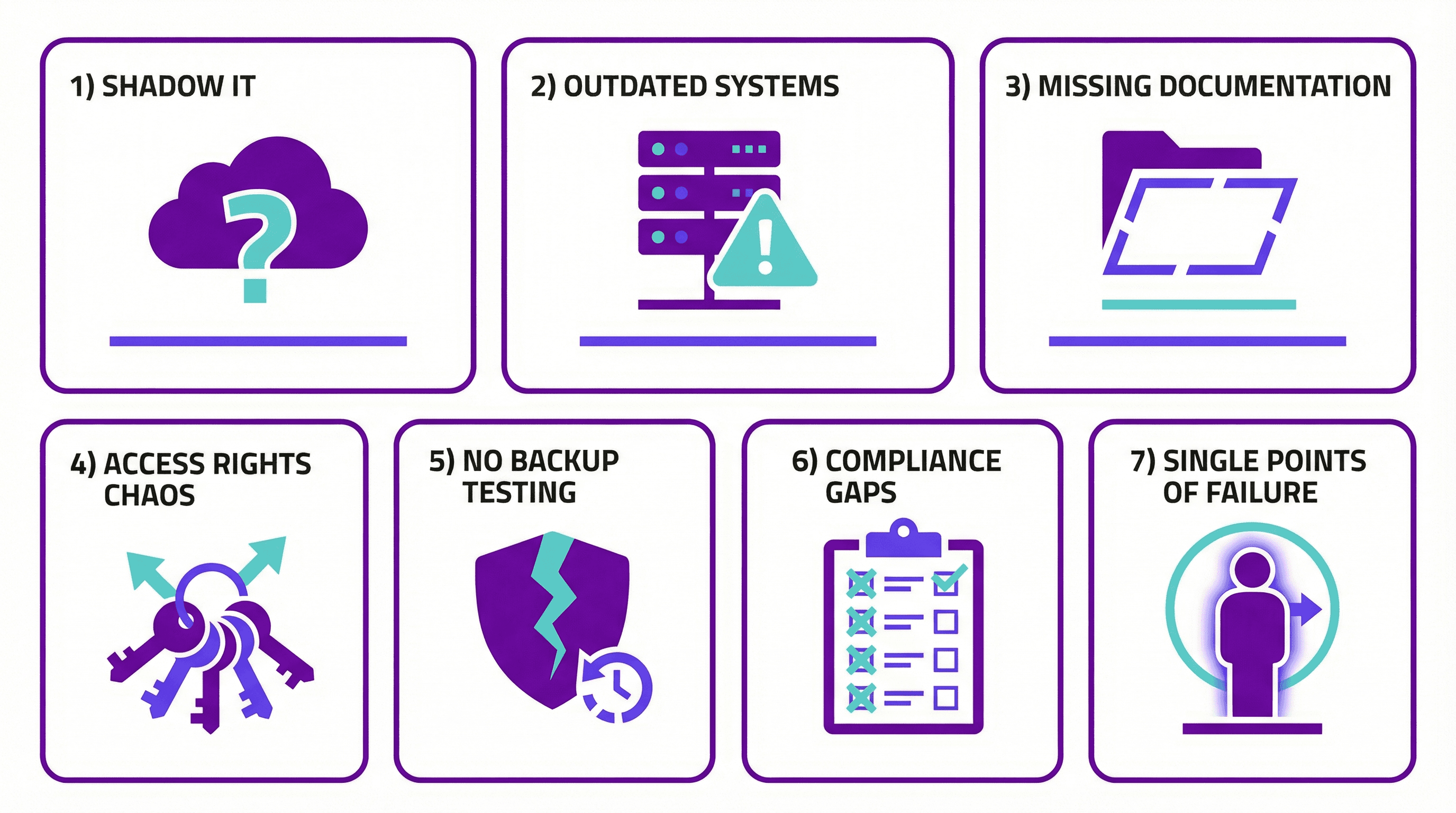
Figure: The 7 problems we find in every IT audit
1. Documentation does not exist (or is outdated)
The network diagram is from 2019. The server room has three more devices than documented. And the password list? The former IT manager took it with them.
No one does this intentionally. IT grows organically. The new router gets connected, but no one updates the diagram. The temporary workaround becomes permanent. And then people forget about it.
What we see:
Network diagrams that do not match reality
Servers no one knows the purpose of
Configurations only one person understands
Quick win: One page. One network diagram. Start today. It doesn’t have to be perfect – it just has to exist.
2. Access rights nobody needs anymore
The marketing intern from 2021 still has admin rights. The former accountant can still log in. And the "temporary" access for the external consultant? It has been active for two years.
According to Microsoft, over 99% of all identity attacks happen via passwords – brute force, phishing, password spraying. Every inactive account is an open door.
What we see:
Former employees with active accounts
Admin rights for people who do not need them
Shared accounts used by multiple people
No regular review of access rights
Quick win: Go to your M365 Admin Center. List all accounts with admin rights. For each one, ask: Does this person really need this?
3. Backups that have never been tested
Everyone has backups. Almost no one tests recovery.
It’s like a fire extinguisher that has never been checked. It hangs there, it looks fine – but you only find out whether it works when there is a fire.
What we see:
Backups run daily (good!)
Recovery has never been tested (bad!)
No one knows how long recovery takes
Restore processes exist only in one person’s head
Reality: an average of 287 days is needed for recovery after a ransomware attack. Because no one practiced.
Quick win: Restore one file from backup. Today. Not the most critical one – any file. See what happens. How long does it take? Does it work at all?
4. Patches that are done "at some point"
"We’ll do that in the next maintenance window."
The maintenance window never comes. Or it gets postponed because something more important comes up. And then the critical security patch sits there for three months.
Over 60% of security incidents in 2025 are caused by known, unpatched vulnerabilities. Not zero-days. Not sophisticated hackers. Patches that no one installed.
What we see:
Windows updates that are months behind
Third-party software without updates
"That won’t work because application XY will stop running"
No defined patch strategy
Quick win: Check when the last Windows update was installed on the servers. If it was more than 30 days ago, you have a problem.
5. Shadow IT everywhere
Dropbox. WeTransfer. Personal Gmail accounts. WhatsApp groups for project work.
This is not malicious. It is practical. The official solution is too complicated, so people use what works.
What we see:
Company data in private cloud storage
Sensitive documents sent via WeTransfer
Customer communication via private phones
IT department has no overview of the tools in use
The problem: 32% of employees click on phishing links. Under stress, that rises to 45%. And if they are working in tools you know nothing about, you have no chance to protect them.
Quick win: Ask your team: "Which tools do you actually use for work?" The answers will surprise you.
6. One IT person who knows everything
His name is Thomas. Or Marcel. Or Sandra. One person who does everything, knows everything, and whose absence brings the entire IT to a standstill.
What happens if Thomas gets sick? Or resigns? Or goes on vacation and does not answer his phone?
What we see:
Critical knowledge in only one person’s head
No documented processes
Passwords known by only one person
Dependence on one external service provider who "does everything"
(By the way: In many SMEs, "Thomas" is the external IT partner. Which is also a risk.)
Quick win: Identify one critical task only one person can do. Document it this week. Just one. But the most important one.
7. Licenses nobody understands
You pay for 150 Microsoft 365 licenses. 90 users are active. The rest? Former employees, test accounts, "reserves."
Even better: Half have E5 licenses, even though E3 would be enough. But no one knows exactly what is included in E5 and what is not. And the Microsoft partner does not explain it proactively.
What we see:
Paid licenses ≠ active users
License types that do not match needs
No regular license review
Contract renewals without review
Quick win: Open your M365 Admin Center. Compare: How many licenses do you have? How many active users are there? The difference is money.
Why this happens (and why it is not your fault)
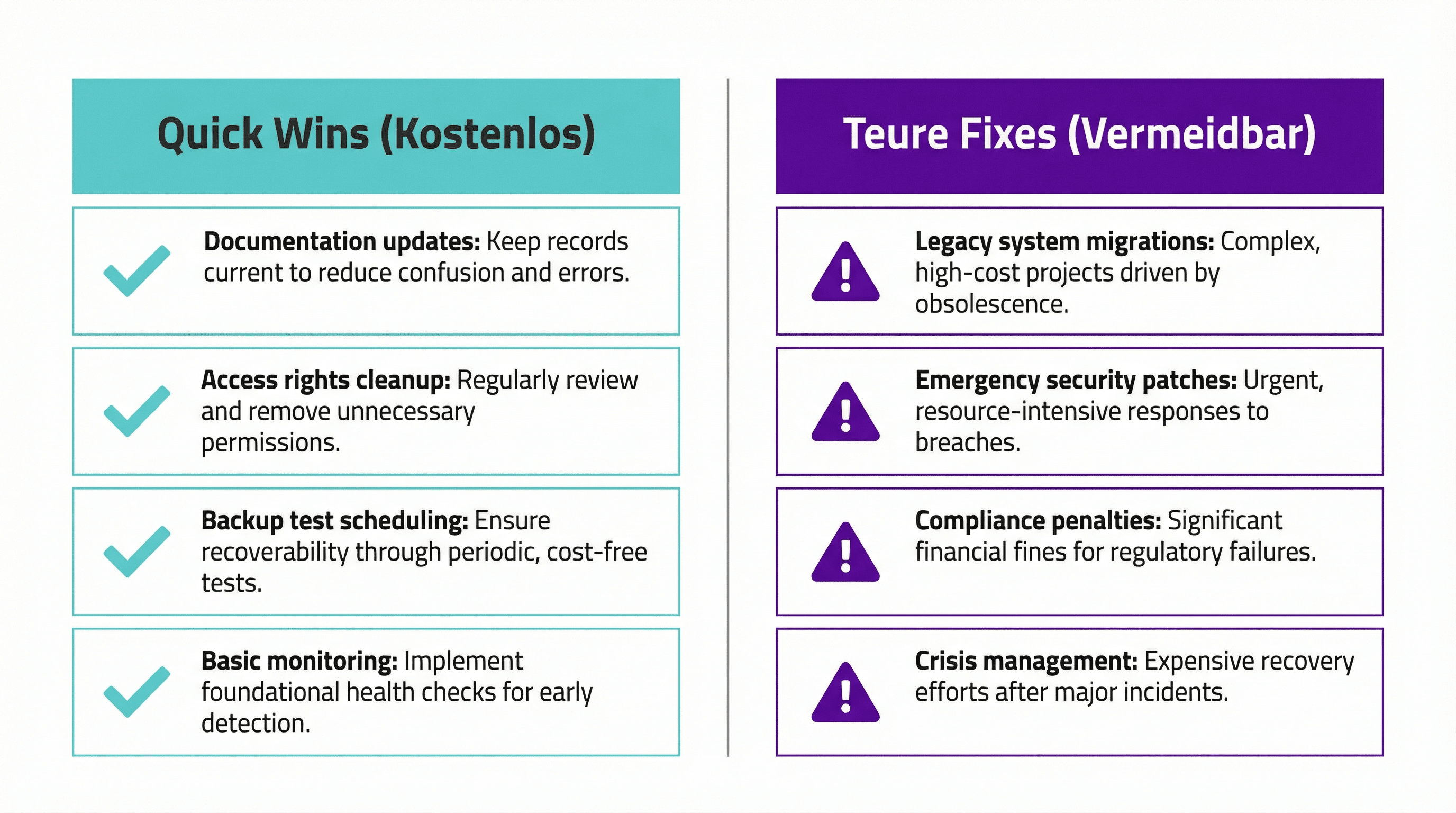
Figure: IT grows organically – nobody plans for today’s state
These 7 problems are not caused by incompetence. They happen because:
IT grows organically. No one planned 10 years ago where you would be today. Every workaround, every quick fix, every "we’ll do it later" piles up.
Day-to-day operations eat strategy. When the server is on fire, you do not document. When the boss has an urgent request, you postpone the patch update. Firefighting always wins over prevention.
Vendor advice serves vendors. The Microsoft partner recommends more licenses. The security vendor recommends more tools. No one says: "What you have is actually enough."
An external perspective is missing. From the inside, you do not see the problems. You get used to them. "We’ve always done it this way."
The quick wins (cost nothing)
Here is what you can do tomorrow – without budget, without a project, without consultants:
Action | Time required | Impact |
|---|---|---|
Create network diagram (1 page) | 2 hours | Gain visibility |
Review admin rights | 1 hour | Reduce attack surface |
Restore one file from backup | 30 minutes | Test restore process |
Check latest patch installations | 15 minutes | Identify risk |
Ask team about tools in use | 1 meeting | Make shadow IT visible |
Document one critical task | 1 hour | Reduce key-person risk |
Compare licenses vs. active users | 15 minutes | Find savings potential |
The expensive fixes (that you probably do not need)
Now comes the part consultants usually do not tell you:
Not every problem needs a project.
What vendors often recommend – and what you usually do not need:
Complete infrastructure replacement: Usually overkill. Targeted upgrades are often enough.
Enterprise security suite: For a 50-person SME? Probably oversized.
Full documentation project: Dies in week 3. Better: start small, stay consistent.
24/7 Security Operations Center: Only makes sense once the basics are in place.
The truth: Most SMEs do not need expensive tools. They need better processes.
If the basics are right – patches, access rights, backups – you have covered 80% of the risks. Without buying a single new tool.