
Franco T.,
Too Long; Didn't Read
Most companies waste 15-30% of their software spending on licenses that nobody needs, that are improperly scaled, or that were forgotten after the last offboarding cycle. The problem is solvable, but not with a one-time inventory. It requires a real process.

The call came in on a Tuesday morning. The IT manager of a medium-sized Swiss company had just received a letter in his inbox: Microsoft announces a license audit. Panic. Not because they knew they had done something wrong. But because they simply had no idea what they actually had.
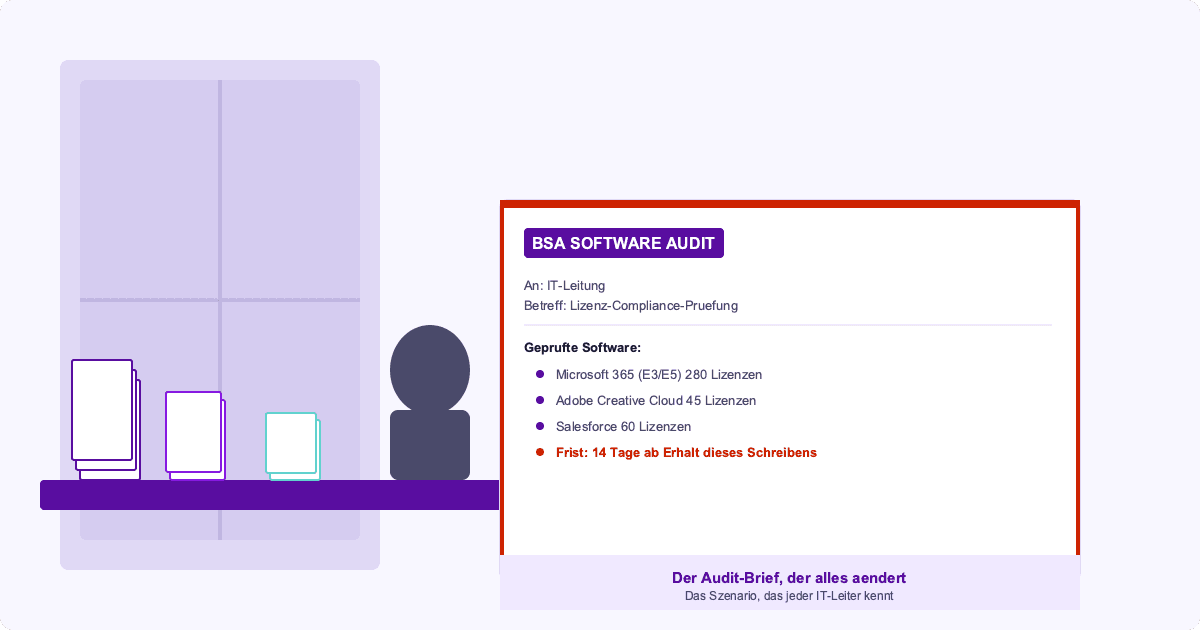
The result: around 80 Microsoft 365 E5 licenses for users who actually needed E3. About 40 zombie licenses. And half a dozen expensive special licenses for a project that never went live. That sounds like an isolated case. But it isn't.
Why license management in IT gets out of control so quickly
Shelfware: you buy licenses that are never really deployed.
Zombie licenses: accounts of employees who have left the company remain active. Depending on the tool, this costs you between CHF 20 and CHF 60 per account per month.
Tier mismatch: Microsoft 365 E5 costs roughly twice as much as E3. If 60% of your workforce is on E5 even though they only need E3, you're burning money.
Automatic renewals without review: Almost all SaaS products renew silently.
The difference between one-time inventory and true license management
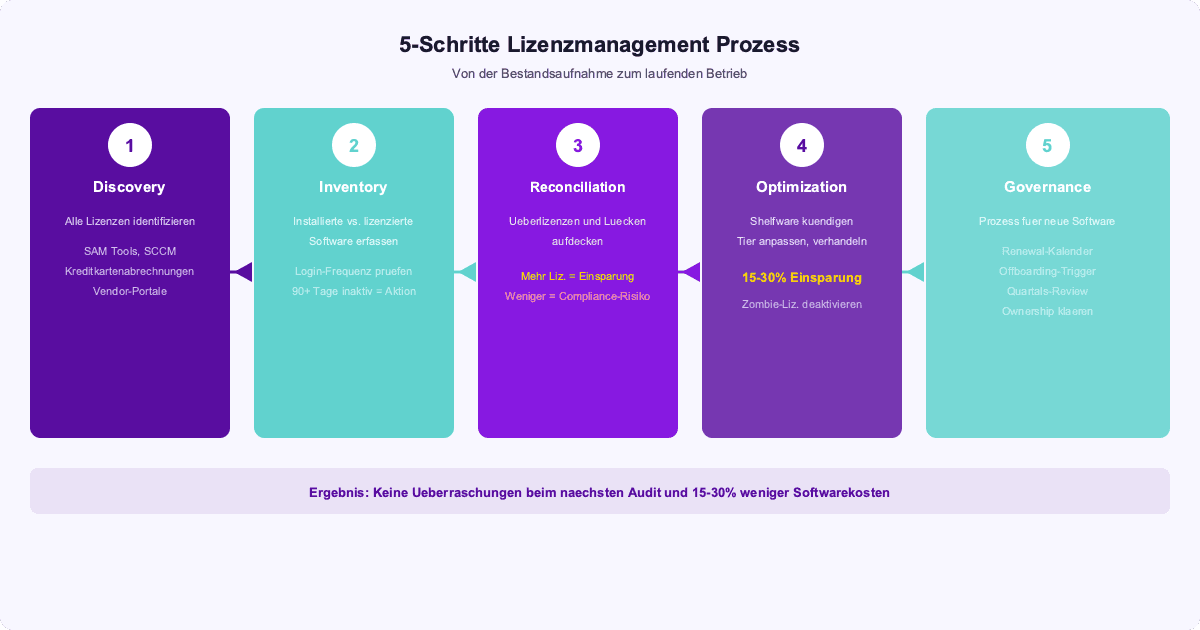
Step 1: Discovery
All contracts, all invoices, all vendor portals. Follow the money.
Step 2: Inventory
You know what you are paying for. But do you know whether it is being used? Microsoft 365 Admin Center gives you granular usage data.
Step 3: Reconciliation
More licenses than users? Savings potential. Fewer licenses than users? Compliance risk.
Step 4: Optimization
Downgrade where possible. Moving from E5 to E3 can easily save a 300-person organization CHF 80,000-100,000 per year. Deactivate zombie licenses immediately. Renegotiate contracts.
Step 5: Governance
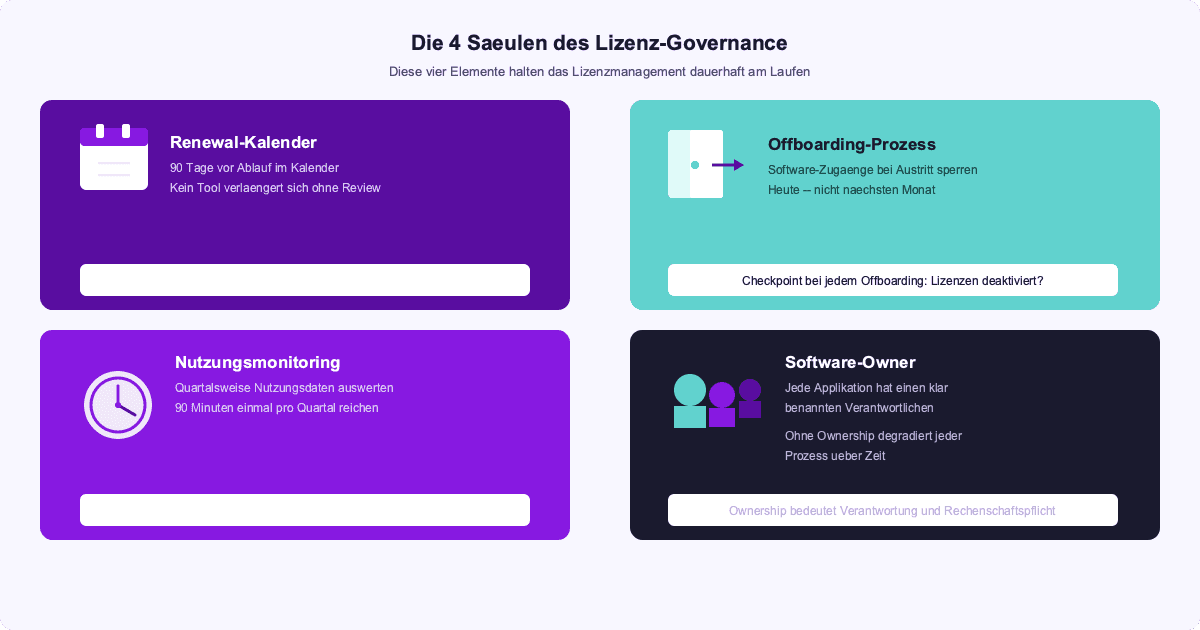
Renewal calendar. Offboarding triggers. Quarterly reviews. Clarify ownership.
The next step
Pull the usage data from your Microsoft 365 Admin Center. See how many accounts have been inactive for 90+ days. Multiply the number by the monthly license price. That is your starting point.
If you want to take a systematic approach: our FinOps approach also includes License & SaaS Management.